Requirements Tracking for Construction Bids: A Practical Method
Requirements Tracking for Construction Bids: A Practical Method ! Construction bid motifs frame the title Requirements tracking in a construction bid means logging every demand in the bid package, from front-end clauses to spec sections to returnable forms, in one matrix.

Requirements tracking in a construction bid means logging every demand in the bid package, from front-end clauses to spec sections to returnable forms, in one matrix. Each row gets a source, a named owner, a status and the evidence that answers it. You then re-check the matrix every time an addendum lands. Teams that do this catch the missing form, the conflicting spec and the unanswered question before the owner’s reviewer does.
This guide shows how to build that matrix, what each row should hold, how to handle changing documents, and where software fits.
TL;DR
- Build one matrix with a row per requirement. Record the exact wording, the document, the section and the page.
- Split pass/fail conditions from scored criteria, and give every row a named person, not a department.
- Re-check the whole matrix after every addendum. Missing a change is one of the most common ways a bid goes wrong.
- Review owner-furnished documents too, including geotechnical reports, because they drive buildability and risk.
- Keep the matrix in the tools your team already uses, then add automation to read documents and flag conflicts.
Table of Contents
- What requirements tracking means in a bid
- Why the stakes are high
- Step 1: Pull every requirement out of the package
- Step 2: Decide what each row must record
- Step 3: Assign real people
- Step 4: Control changes, conflicts and questions
- Step 5: Review the owner’s documents for buildability
- Step 6: Verify before you submit
- Step 7: Keep tracking after you submit
- Where spreadsheets stop and software starts
- See it on your own bid package
- Common mistakes to avoid
- FAQ
- Sources
What requirements tracking means in a bid
A bid package is a pile of obligations spread across many documents. The invitation to bid, instructions to bidders, general and supplementary conditions, specifications, drawings, bid forms and addenda all carry demands. Some say what you must submit. Some say how you must perform. Some say how you will be scored.
Tracking means turning that pile into a single list you can manage. A requirements matrix is a table with a row for each demand, carrying its source, evidence and owner, so a second reader can check each row against the source document. The point is completeness. Building the matrix forces someone to read every page and transcribe every obligation. That act catches more than any format choice.
This differs from the “requirements traceability” you see in software engineering. There, the goal is linking each requirement to design and test work. On a bid, the chain is shorter but just as strict: owner clause, your response, your evidence, and later the contract. The compliance matrix you assemble often becomes part of the contract record, so what you promise in a row is what you may be held to.

Why the stakes are high
Public owners are explicit about what happens when a bid misses a requirement. The Ohio Facilities Construction Commission’s standard requirements for public facility projects state that failing to indicate where services will be performed may cause a bid to be rejected as non-responsive. That is a single missing line on a form, not a pricing mistake.
The same logic appears in procurement standards abroad. Standard bidding documents published by Pakistan’s engineering council say evaluation must rest solely on the criteria in the bidding documents, and that a substantially responsive bid meets all requirements without material deviation or omission. Wherever you bid, the reviewer measures you against the written requirements and nothing else. If a row is not on your list, nobody is checking it.
Prequalification works the same way. North Carolina’s State Construction Office publishes instructions for its prequalification matrix. The matrix covers firm type, work classification, licensing, bonding, insurance, experience, workload, quality-control procedures and assigned personnel, and missing required information can make a proposal non-responsive.

Step 1: Pull every requirement out of the package
Start by listing every document in the package, addenda included. Then read each one with a pen, or a screen, and log everything that creates an obligation. Do not summarize. Copy the wording as written, because paraphrase is where meaning drifts.
The places requirements hide are predictable:
- Front-end documents: insurance and bonding limits, prequalification, bid security, license and registration, schedule and liquidated damages, payment terms, retainage, flow-down clauses.
- Instructions to bidders: submission format, delivery method, deadline, question cutoff, required forms, alternates, unit prices, bid validity period.
- Specifications: submittals, testing, warranties, mock-ups, product approvals, qualifications of installers, closeout.
- Drawings and notes: general notes, scope boundaries between trades, coordination requirements.
- Evaluation criteria: weighted factors, interview requirements, references, safety record.
- Addenda: every change, including those that only revise a sentence.
For each row, capture the document name, section, clause number and page. When someone asks in week three where a requirement came from, you should find it in seconds.
Step 2: Decide what each row must record
A matrix with too few columns hides risk. A matrix with too many never gets updated. A working set for a construction bid looks like this:
| Column | What goes in it | Why it matters |
|---|---|---|
| ID | A unique number | Lets you refer to a row in emails and meetings |
| Source | Document, section, clause, page | Proves the requirement is real and findable |
| Requirement text | The wording as written | Prevents paraphrase drift |
| Type | Pass/fail, scored, informational | Sets priority and review depth |
| Owner | One named person | Creates accountability |
| Status | Open, in progress, ready for review, verified | Shows readiness at a glance |
| Response | Where in your bid it is answered | Links the demand to your answer |
| Evidence | Certificate, form, quote, spec cut sheet | Lets a second reader verify |
| Notes | RFI number, addendum reference, conflicts | Captures the history |
The most useful distinction is the type column. Separate mandatory pass-or-fail conditions from weighted scored criteria. A missing bond is not a lower score. It is a disqualification. A weak reference is a lower score. Treat them differently and review the pass/fail rows first. Our bid compliance checklist is built around this order, and our bid qualification matrix guide shows how to apply it to mandatory items.
Step 3: Assign real people
A row owned by “estimating” or “the team” is a row nobody owns. Assign every requirement to a specific individual, and give that person a due date that sits well ahead of submission day. The project manager owns the bond and insurance rows. The estimator owns the scope and pricing rows. The office manager owns the forms. A principal owns signatures and the bid/no-bid sign-off.
This also tells you early whether the bid is too heavy for your staffing. If one person owns thirty rows and the deadline is in four days, you have learned something before it cost you. A good bid schedule works backward from the due date; see our eight-week workback for bid schedule management for a way to pace it.
Step 4: Control changes, conflicts and questions
The matrix is only as good as its latest version. Three things change it constantly: addenda, conflicts between documents, and open questions.
Addenda
Every addendum is a prompt to reopen the matrix. Read it, log each change as a new or revised row, note the addendum number, and check whether the change touches rows that were already verified. Teams that fail here often have a perfect matrix for a package that no longer exists. Failing to re-check after addenda is a classic reason bids come in incomplete.
Owners treat version control as a formal process too. Ohio’s requirements say that after bids are opened, the architect/engineer incorporates all addenda and accepted alternates into conformed documents. Your matrix is your own conformed set during the bid. For a day-by-day routine, use our addenda tracking log.
Document control on the owner’s side follows the same principle. The Kentucky Transportation Cabinet’s design-build guidance calls for an approved process that tracks iterative versions and clearly identifies the current version. Do the same in-house: one folder for the current package, one for superseded files, and a naming rule everyone follows.
Conflicts between documents
When a spec says one thing and a drawing note says another, do not choose silently. Log it as a conflict row, cite both sources, and send a question to the owner. Then decide how you will price in the meantime and record that assumption. Pricing the lower-cost reading without telling anyone is how bids turn into change-order fights. Our guide to bid document review in five steps walks through how estimators surface these conflicts before they become late change orders.
Open questions
Give every request for information a number, a date sent, the clause it relates to and a status. When the answer arrives, update the linked row. If the question window closes before you get an answer, write the assumption or clarification into your bid as the contract allows.
Step 5: Review the owner’s documents for buildability
Tracking what the owner asked for is half the job. The other half is checking whether the documents they furnished can be built as drawn. Constructibility specialists note that reviews should not leave out owner-furnished items such as geotechnical reports, since these significantly affect buildability and risk.
Add rows for those items. If the geotechnical report assumes a groundwater level that conflicts with the excavation scope, that goes in the matrix as a risk with an owner. The same applies to heavy-civil work, where the way equipment is staged and used shapes the schedule and cost; a primer on the bridge construction equipment process shows why method and equipment assumptions deserve their own review rows. Our pre-bid meeting checklist helps you bring these questions to the job walk.
Step 6: Verify before you submit
Do a verification pass that differs from the drafting pass. A second reader, not the row owner, takes the matrix and checks each row against the source document and the final bid file. Pass/fail rows come first.
Use this short list for the final review:
- Every row has an owner, a status of verified, and a response location.
- Every addendum is listed, and every change it made has been traced to a row.
- Every form is returned unaltered, signed and in the format the instructions require.
- Every conflict and RFI is either resolved or carried as a stated assumption.
- Bid security, bonding, insurance, license and registration documents are current and match the names on the forms.
- The submission method, deadline and number of copies match the instructions to bidders.
- A principal has signed off on the bid/no-bid decision and the final price.
Not returning forms unaltered and missing mandatory conditions are among the most common failures. The checklist exists to prevent exactly those.
Step 7: Keep tracking after you submit
The matrix does not end at submission. If you win, the requirements you answered turn into obligations: submittals, testing, closeout, warranties. Hand the matrix to the project team at buyout so that the promises made in the bid are not rediscovered in the field. If you lose, record what the debrief says. Over time, a library of past matrices shows which clauses cost you money and which owners are strict about which forms.
Buyout needs its own tracking, since vendor quotes carry conditions, exclusions and validity dates that must line up with the prime requirements. A quote comparison matrix keeps those side by side.
Where spreadsheets stop and software starts
A spreadsheet is a fine place to start. Many teams run the matrix in Excel and send questions through Outlook, and that works for a single bid with a small package. The strain shows up when you run several bids at once, when packages run to thousands of pages, or when addenda arrive close to the deadline. Then the weak points are manual: someone has to transcribe every clause, notice every conflict, and remember to re-check every row.
Software should take the reading and cross-checking while people keep the decisions. Look for tools that:
- read the whole set of documents, front-end clauses included, and extract requirements with page references;
- flag conflicts between specs, drawings and addenda;
- keep owners, statuses and questions in one shared view;
- work with the files and mail you already use, rather than forcing a switch;
- leave authority over what gets submitted with your people.
Our page on AI tender review for construction bids describes how we approach that first pass.
Our view: the clause nobody read is the one that costs you
We built ArosBid around a simple observation. Most bid disqualifications and late change orders do not come from hard estimating problems. They come from a clause nobody read, a specification that conflicts with another, or an addendum that did not make it into the matrix.
That is why our platform reads the entire set of bid documents, including the front-end clauses that estimators often only skim. It automates error-checking without taking authority away from the people who sign the bid. We think software should find the issue and a person should decide what to do about it.
We also think tracking should not stop at the matrix. Requirements, vendor quotes, approvals and compliance documents belong in one structured command center that follows the bid from intake through buyout and debrief. And it should sit alongside Excel and Outlook, not ask your team to abandon them.
arosbid team
See it on your own bid package
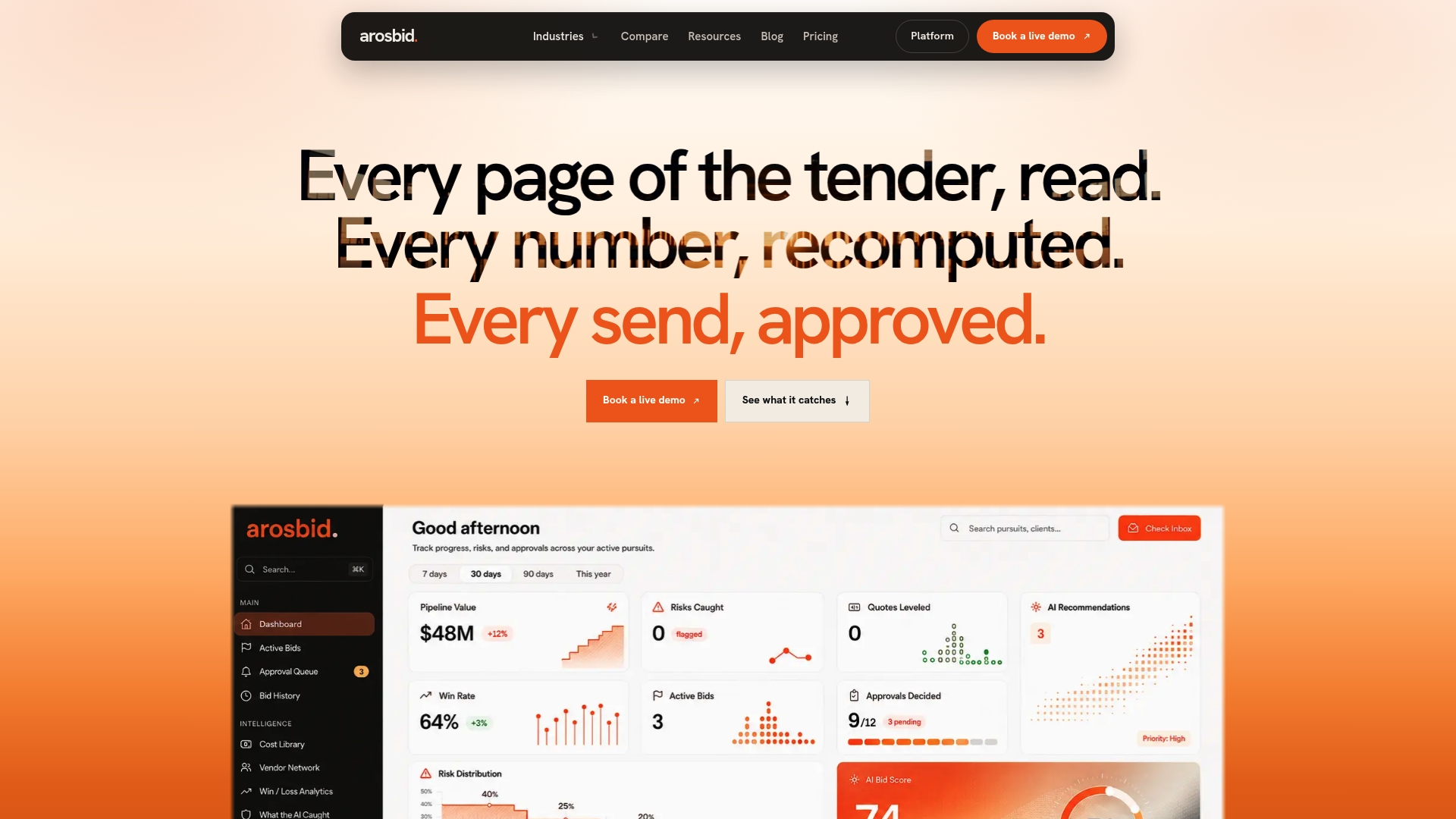
If your team is tracking requirements by hand across spreadsheets and inboxes, we can show you the same work done on a real package. ArosBid runs the bid cycle from document intake and compliance checks through takeoff, estimate, vendor quote tracking, proposal assembly, buyout and debrief, and it works with Excel, Outlook and the takeoff, cost and project management tools you already have.
See how it works on our bid management software page, compare the plans on the pricing page, or book a live demo and bring a package you are working on.
Common mistakes to avoid
- Summarizing instead of quoting. A paraphrased requirement can quietly change meaning. Copy the wording and cite the page.
- Starting the matrix late. If you build it on bid day, it records what you did rather than guiding what to do.
- Owning by department. Name a person.
- Treating scored and pass/fail items alike. Review disqualifiers first.
- Ignoring owner-furnished reports. Geotechnical, survey and existing-conditions documents belong in the review.
- Verifying with the same person who drafted. A second reader finds what the first reader’s eyes skip.
- Forgetting what happens after award. The matrix is the start of your project obligations.
FAQ
What is the difference between a requirements matrix and a bid checklist?
A checklist lists tasks to complete. A requirements matrix lists every demand in the package with its source, owner, status and evidence. The checklist tells you what to do on a typical bid. The matrix tells you what this specific owner is asking for, and a second reader can check it against the documents.
How do I track clauses in a large bid package?
Give each clause its own row with the document, section and page, then tag it as pass/fail, scored or informational. Start with the front-end documents and instructions to bidders, because these hold the disqualifying conditions. Re-check the list against every addendum.
Who should own each requirement?
A named individual, not a department or “the team.” Pick the person who has the information or authority to answer it, such as the project manager for bonding or the estimator for scope. Give each owner a due date ahead of submission day so the review has time to happen.
Can I do this in Excel?
Yes, for a small package. Excel handles a matrix well if you keep the columns disciplined. It becomes harder when many bids run at once or addenda arrive late, because every extraction and cross-check is manual. That is where tools that read documents and flag conflicts help, ideally ones that work with Excel and Outlook.
How often should I re-check the matrix?
Every time a new addendum, answer to an RFI or revised document arrives, and once more in a full verification pass before submission. Treat each addendum as a prompt to reopen the rows it could affect, not only the ones it names.
Sources
- State of Ohio Standard Requirements for Public Facility Projects
- Pakistan Standard Bidding Documents, Construction Works (December 2023)
- North Carolina State Construction Office: Owner’s Instructions to Fill Out Matrix
- Kentucky Transportation Cabinet: Design-Build Guidance
- CMAA: Constructibility Reviews
- Bridge Construction Equipment Process: An Engineer’s Guide